Keep important dates and mileage in view.
Organise maintenance and ownership reminders around your car. When you add both a date and mileage, BookMOTGarage shows whichever comes first.
Check your MOT expiry before planning your next test. Free, with no account needed.
- Clear date and mileage rules
- Important information shows its source
- Optional email for eligible reminders
Due 14 December or at 55,000 miles, whichever happens first.
Set the reminder around the information you have
A reminder needs a due date or due mileage. Add both when both matter, then choose whether the reminder should repeat after you complete it.
Choose the vehicle
Each reminder stays connected to the correct private Vehicle Passport.
Add the due point
Enter a date, mileage or both. Both means whichever happens first.
Choose how to be told
Keep the reminder in your account and optionally enable email where offered.
Complete or update it
A recurring reminder advances only by the repeat interval you configured.
Use the reminder that fits the job
Driver-created reminders cover common vehicle and ownership needs, including choices for professional and electric-vehicle use.
MOT reminder consent is managed separately from email preferences for reminders you create. Learn about Professional Driver Mode.
A calculation you can check
Care Clock combines a saved maintenance interval with the last service evidence and latest recorded mileage. It then shows the calculated date, mileage or whichever-first position.
- Interval: months, miles or both from a source you trust.
- Starting point: the last service date and/or service mileage.
- Current position: the latest explicit mileage evidence in the Passport.
- Explanation: the values and source used remain visible.
BookMOTGarage does not invent a manufacturer schedule, inspect the car or turn missing information into a guessed deadline.
Email remains your choice
Eligible reminders you create can also be sent to your account email. You can switch this preference off or use the unsubscribe link without deleting the in-app reminder.
In your Driver Account
Your saved reminder remains available in the private reminder centre.
Optional email
Email is an additional channel, not a guarantee. Check your in-app reminders too.
Preference control
The preference for driver-created reminder emails is separate from MOT reminder consent.
UK calendar day
Date-based processing uses the configured UK day so clock and daylight-saving changes do not silently shift the due date.
Know what the reminder is based on
A driver-entered interval remains “Added by you”. Garage-confirmed and manufacturer-verified labels are reserved for evidence that qualifies for those sources.
A date, mileage, note or interval entered in your Driver Account.
Eligible evidence connected through an approved garage journey.
A schedule source supported by verified manufacturer evidence, never a platform guess.
Reminders organise recorded information. They do not confirm tax, insurance, warranty or legal-compliance status and do not replace the vehicle handbook or professional advice.
When work is needed, continue to an established booking journey
Use the reminder to understand what needs attention, then search existing garage prices and availability where the job is bookable.
Questions about this page
What car reminders can I create?
You can create reminders for tax, service, insurance, breakdown cover, tyres, warranty, relevant EV or professional-driver needs, and your own custom task.
Can I use a date and mileage together?
Yes. When both are saved, the reminder is treated as due by whichever point happens first.
Does BookMOTGarage know my manufacturer's service schedule?
Only verified manufacturer evidence can carry that label. The platform does not invent a schedule when reliable evidence is unavailable.
Can a reminder repeat?
Yes. You can configure repeat months, repeat miles or both. Completing it advances only the repeat dimensions you set.
How does Vehicle Care Clock work?
It uses the saved interval, last-service evidence and latest recorded mileage to calculate a date, mileage or whichever-first position.
Will I receive an email?
You can enable email for eligible reminders you create. Email delivery is an additional channel rather than a guarantee, so keep checking the in-app reminder centre.
Can I stop reminder emails?
Yes. Use the preference in your Driver Account or the unsubscribe link. This does not delete the saved in-app reminder.
Are MOT reminder emails controlled by the same preference?
No. MOT reminder consent is managed separately from the email preference for driver-created reminders.
Does a tax or insurance reminder confirm my status?
No. A reminder organises information recorded for the vehicle. Check the responsible official body, insurer or provider for the actual status.
Does Care Clock diagnose my car?
No. It is a deterministic timing and mileage calculation, not an inspection, diagnostic result or mechanical health score.
Can I use reminders for an electric or hybrid car?
Yes. The complete reminder experience is available, with relevant EV choices and no estimated battery-health claims.
Are my reminders private?
Saved reminders and Care Clock information sit inside the authenticated Driver Account and are scoped to the signed-in owner's vehicles.
Keep dates, mileage and evidence together
Start with the information you trust. BookMOTGarage will keep the calculation and its source visible.
BookMOTGarage for drivers
Your car care, connected.
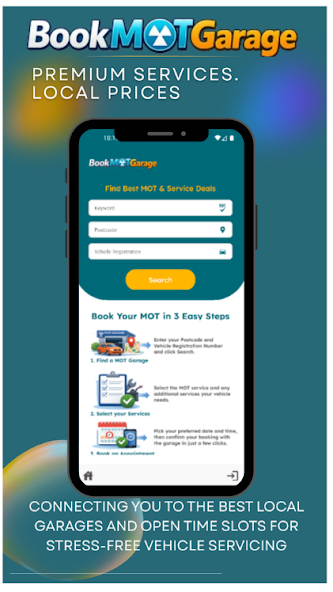
Find a garage, manage your bookings and keep your vehicle records close at hand with the BookMOTGarage app.
Check your MOT expiry before planning your next test. Free, with no account needed.
- Find MOT, servicing and repair appointments
- Manage your bookings on your phone
- Keep track of your vehicle records
Available for Android.