Your working vehicle. Everything organised.
Keep your vehicle's deadlines, mileage and running costs together.
For taxi, private-hire and other high-use drivers.
- Optional for each vehicle
- Private to your Driver Account
- Based on information actually recorded
22 September Approaching
Keep your mileage up to date.
Fuel, charging, servicing and repairs.
Illustrative records. Costs show recorded spending, not profit or tax figures.
Use it only when the vehicle is part of your work
Professional Driver Mode is designed for a taxi, private-hire vehicle or another high-use working vehicle. It adds a focused working view to the same private Passport.
Your everyday, occasional and high-mileage vehicles stay as ordinary Passports unless you choose Professional driver for that vehicle.
Taxi drivers
Keep the deadlines you record close to the vehicle they belong to.
Private-hire drivers
Organise inspection, licence, insurance and mileage information.
Other high-use drivers
Use the mode when a working vehicle needs closer mileage and cost attention.
See the next useful job without losing the full Passport
The mode uses the reminders, mileage and costs already recorded for that vehicle. It then brings the most useful professional action into view.
Choose Professional driver
Turn the mode on for one working vehicle. Other vehicles do not change.
Add the facts you know
Record relevant deadlines, current mileage and actual expenditure.
See the current position
Review passed, due, approaching or recorded deadlines.
Take the next action
Update mileage, review a deadline or continue to garage search.
Keep your recorded deadlines in one clear list
Add a date, mileage or both. When both are present, whichever reaches its due or advance point first controls the displayed position.
Understand reminders and Care ClockTaxi or private-hire licence
Save the deadline supplied by the responsible licensing authority.
Taxi or private-hire inspection
Record the date or mileage that applies to your vehicle.
Commercial insurance
Keep the renewal date visible without claiming that cover is valid.
Meter calibration
Record the deadline you have been given.
Breakdown cover
Keep the recorded renewal point with the working vehicle.
See recent operating expenditure
Professional Driver Mode totals fuel, charging, service and repair amounts saved in the Passport for the last 7, 30 and 365 UK calendar days.
These are recorded costs only. They are not income, profit, tax returns, business accounts or financial advice.
Enable it from Manage vehicle
- 1
Open My Vehicles.
- 2
Open Manage vehicle for the working vehicle.
- 3
Under Vehicle use, change Typical use to Professional driver.
- 4
Press Save vehicle use.
It organises information. It does not approve your vehicle for work.
No compliance decision
Check your licensing authority and other responsible bodies for the rules that apply to you.
No tax or accounting advice
Recorded costs are provided for organisation only. Use a qualified adviser for tax or accounts.
No invented maintenance schedule
Keep Care Clock updated from your handbook or another source you trust.
No automatic sharing
This milestone keeps the information private to the Passport owner. It is not shared with a garage or employer.
Move from the reminder to garage search
Compare existing prices and availability through the established BookMOTGarage journey.
Questions about this page
Who should use Professional Driver Mode?
It is for a taxi, private-hire or other high-use working vehicle. Leave it off for an ordinary personal vehicle.
How do I turn it on?
Open My Vehicles, open Manage vehicle, change Typical use to Professional driver, then save vehicle use.
Does it confirm that I am legally compliant?
No. It organises information you record. Check the relevant licensing authority and responsible organisations for your actual obligations and status.
Does it create another account or vehicle?
No. It adds a working-vehicle view to the same private Vehicle Passport.
Can I turn it on for only one vehicle?
Yes. Usage mode is selected separately for each Vehicle Passport.
Which deadlines can it show?
It brings together active reminders for taxi or private-hire licences, inspections, commercial insurance, meter calibration and breakdown cover.
Can a deadline use both date and mileage?
Yes. When both are recorded, whichever reaches the due or advance point first controls the displayed position.
Which costs are included?
It totals fuel, charging, service and repair amounts recorded in that Passport for the last 7, 30 and 365 days.
Does it calculate income, profit or tax?
No. It does not record earnings, calculate profit, prepare accounts or provide tax advice.
Does it create a maintenance schedule?
No. Professional use does not invent a manufacturer schedule. Keep Vehicle Care Clock updated using a source you trust.
Can my garage or employer see this information?
Not through this feature. Professional Driver Mode information remains private to the authenticated Passport owner.
Does it work on Web and Android?
Yes. The same owner-scoped Professional Driver Mode information is available through the supported Web and Android Vehicle Passport journeys.
Bring the next important job into view
Use your existing Vehicle Passport. Turn on Professional Driver Mode only for the vehicle you use for work.
BookMOTGarage for drivers
Your car care, connected.
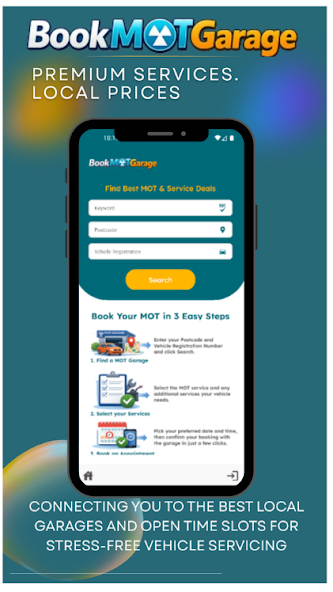
Find a garage, manage your bookings and keep your vehicle records close at hand with the BookMOTGarage app.
Check your MOT expiry before planning your next test. Free, with no account needed.
- Find MOT, servicing and repair appointments
- Manage your bookings on your phone
- Keep track of your vehicle records
Available for Android.